Creating a site
Creating a site in Masthead
Creating a site in Masthead is easy! First, head to Masthead and login or create your account. After that, hit the Create Site button on the top right.
Fill in your name and your slug, which will be used as the title of the website, and the adress of the website respectively.
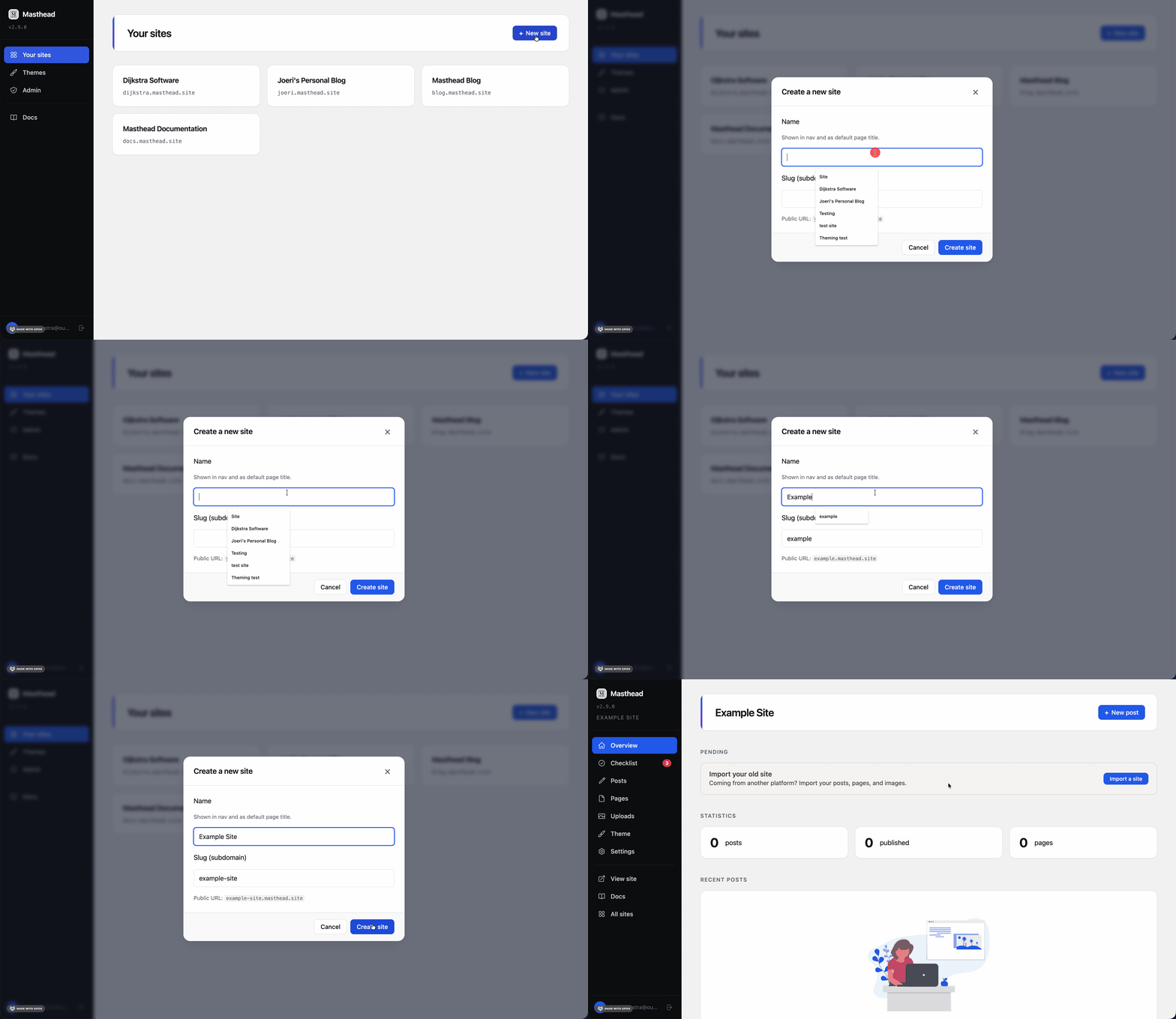
Congratulations, your website is now online! 🎉
In the sidebar, hit the “View site” button to take a look at your newly created website.