Getting started
Everything you need to get started with Masthead, from creating your first site to understanding the core concepts behind the platform.
To get started with Masthead, head over to the Masthead website and create an account. You can either create an account with your email or sign up quickly using Github.
Alternatively, you can also self host Masthead, as the source code is available on Github, for a more dedicated guide, check out the self hosting section of this documentation.
Creating a site
After creating an account and signing in, you can create your first site by clicking the New site button.
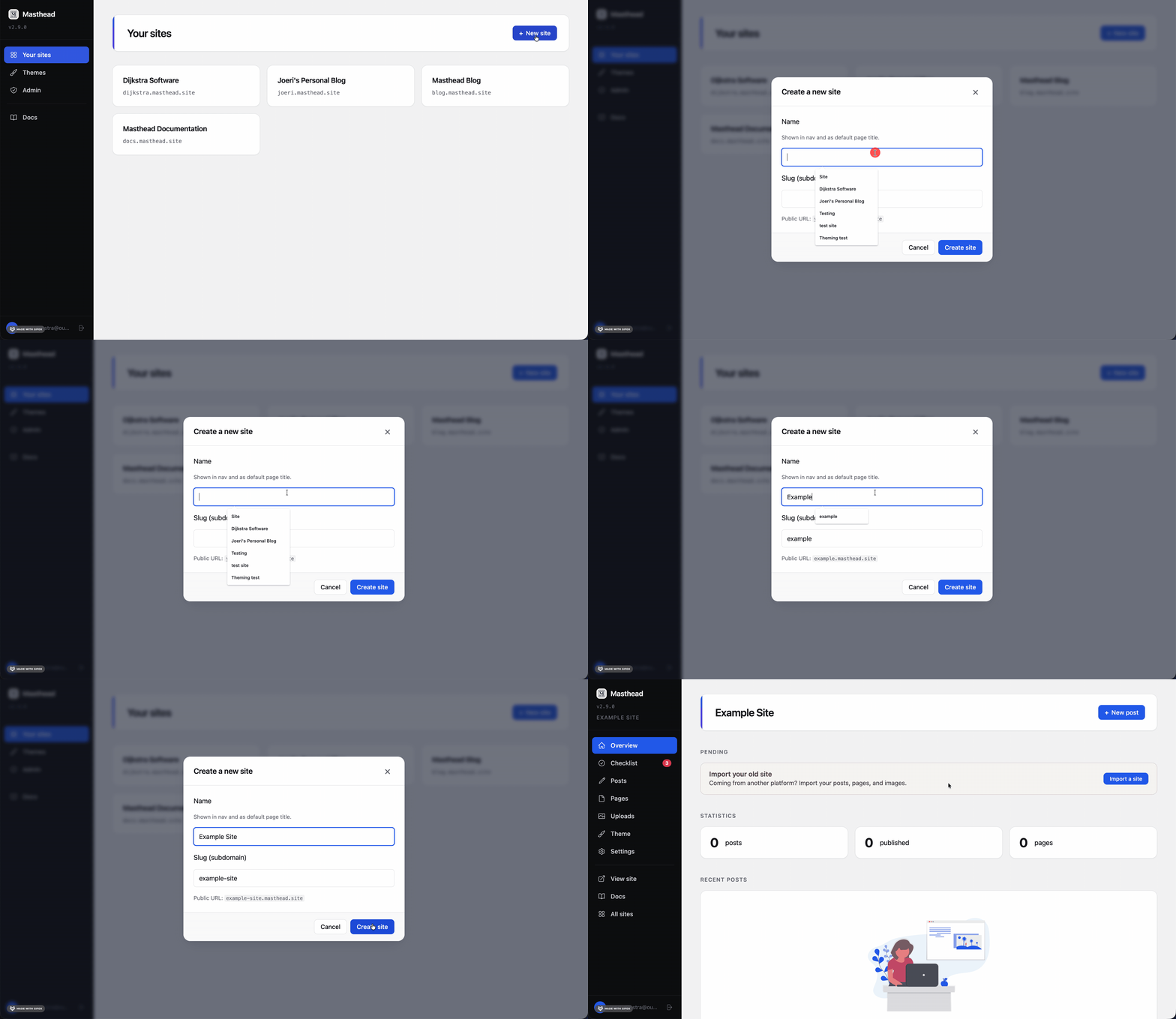
Choose a unique name and slug for your site. The slug determines the default Masthead URL, for example my-site.masthead.site.
Once the site has been created, it’s immediately available. Click View site to open it in your browser, or continue by creating your first page or post.
Concepts
Masthead is built around five core concepts: sites, posts, pages, uploads and themes. Understanding how these fit together makes the rest of the platform much easier to understand.
Sites
A site is the main entity in Masthead. Every website you create is a separate site containing its own pages, posts, uploads and settings.
Each site is connected to a single theme, which determines how the website is rendered and what configuration options are available. A site can be published on a Masthead subdomain or a custom domain.
Posts
Posts are chronological pieces of content, typically used for blogs, news articles or updates. They consist of Markdown or HTML and are available to themes through Liquid.
By default, posts are available through a slug such as /posts/my-first-post, although themes are free to present them however they like.
Pages
Pages are standalone pieces of content such as a homepage, about page or contact page. A page can contain Markdown, HTML or be backed by a custom theme template.
Unlike posts, pages are not chronological and are typically available directly through their slug, for example /about.
Uploads
Uploads are files stored by Masthead, such as images, PDFs or other assets. They can be referenced from pages, posts and theme configuration, making it easy to reuse content throughout a site.
Themes
A theme defines both the appearance and the editing experience of a site. Besides templates and styling, a theme can define site-wide settings and page-specific metadata, allowing each theme to expose exactly the configuration it needs.
This means the editor adapts to the theme, rather than every theme adapting to a generic editor.