Managing your site
Configure the global settings of your Masthead site, including its identity, homepage, tags, custom domain and other site-wide options.
The Settings page contains the site-wide configuration for your Masthead site. From here you can manage your site’s identity, configure its homepage, organize tags, connect a custom domain and delete the site.
Managing site identity
Every Masthead site has three identity values that describe the website.
- Site name – Used by Masthead to identify the site. This value is only visible within Masthead and does not have to match the public website.
- Site title – The public title of your website. Themes typically use this in the page title, navigation or header.
- Site description – A short description of your website. Many themes use this as a subtitle, while search engines may use it as the page’s meta description.
These values are available to every theme. How they are presented depends on the theme itself, allowing each theme to decide where and how they are displayed.
Setting a homepage
Every Masthead site has a homepage: the page visitors see when they open the root of your website, for example example.masthead.site.
By default, Masthead renders the theme’s index template as the homepage. For many themes, this displays a list of recent posts, but the exact behavior depends on the theme.
If you prefer a custom landing page, you can select any existing page as the site’s homepage. Once selected, that page is rendered instead of the theme’s default index template.
Managing tags
Tags provide a simple way to organize and filter posts. Every post can have one or more tags, allowing themes to group and display related content.
By default, pages have access to all posts on a site. When creating a page, you can optionally filter the available posts by one or more tags. This allows themes to build pages such as news sections, documentation categories or featured content without requiring any additional configuration.
Besides filtering posts, themes can also expose tags as metadata or theme settings, allowing site owners to configure which content should be displayed in different parts of a website.
Connecting a custom domain
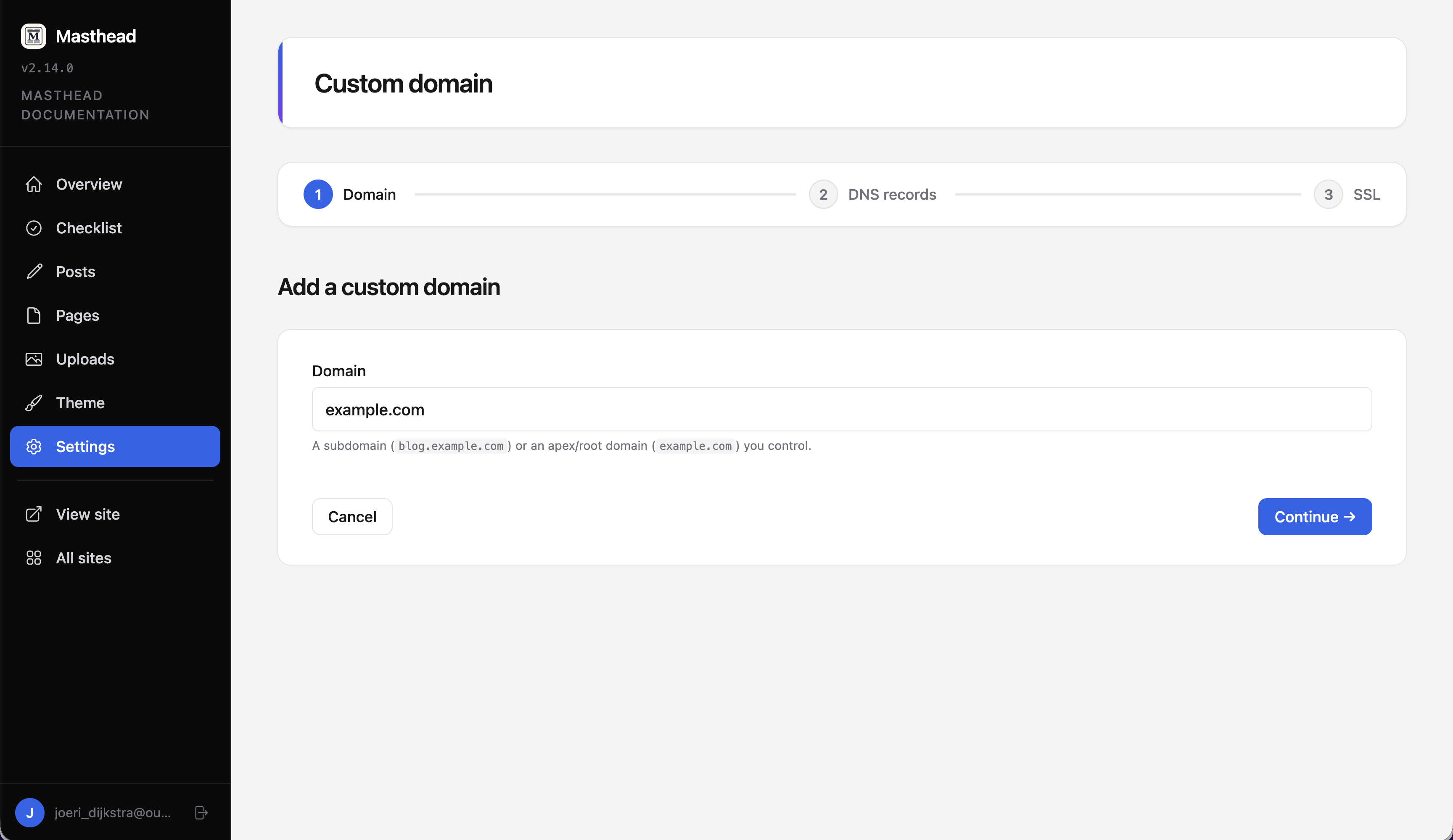
Every Masthead site is available on a *.masthead.site subdomain by default. If you want to use your own domain, click Setup a custom domain to start the setup wizard.
Begin by entering the domain you want to connect, for example example.com.
Masthead will generate a unique verification key. Add this key as a TXT record in your DNS configuration to prove that you own the domain.
Depending on the type of domain you’re connecting, Masthead will also generate the required DNS records:
- Subdomains use a CNAME record.
- Apex domains use an A and AAAA record.
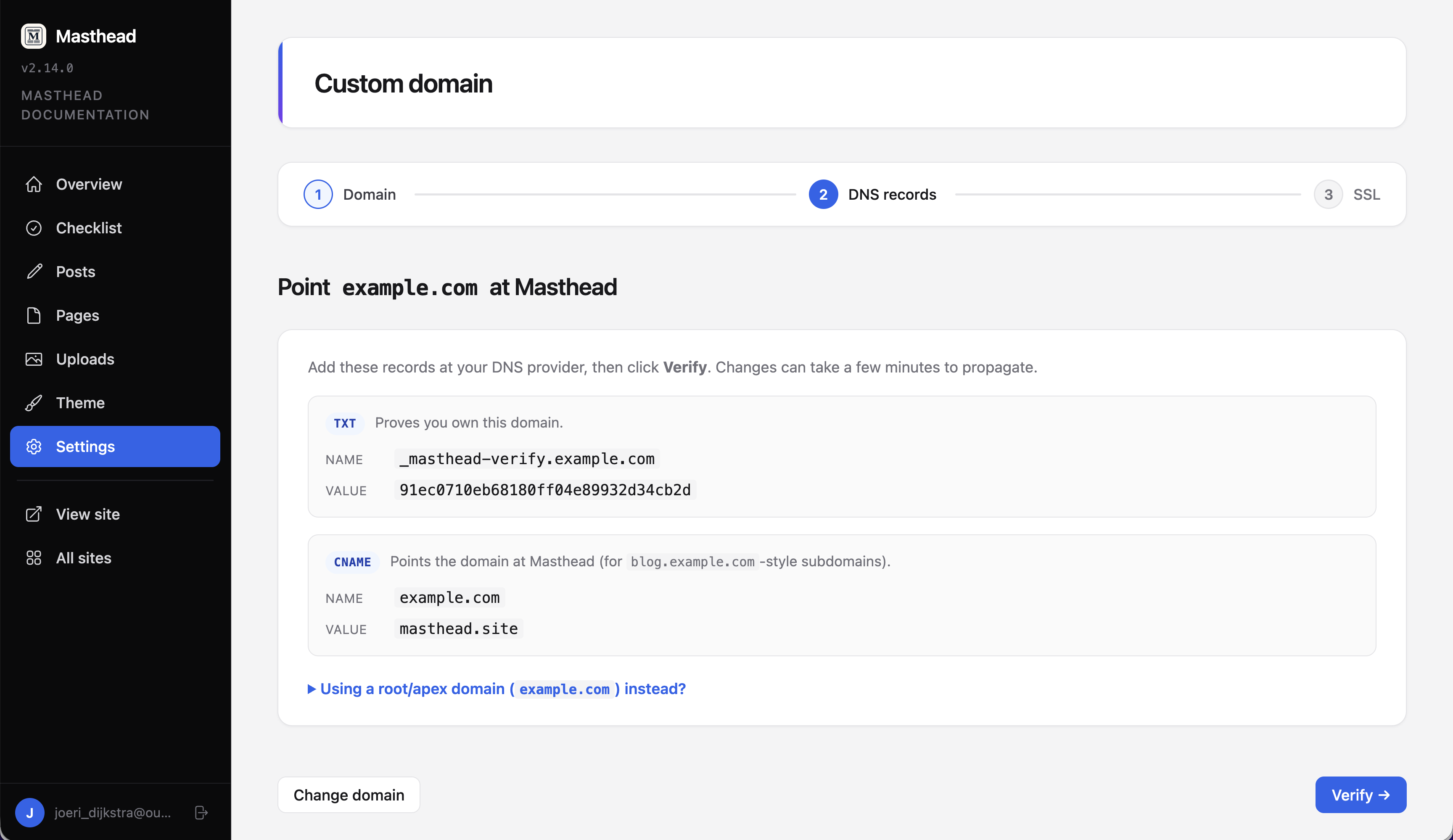
The setup process is saved automatically, so you can leave and return at any time.
Once your DNS changes have propagated, click Verify. After successful verification, Masthead automatically provisions an SSL certificate through Let’s Encrypt. At the moment, bringing your own SSL certificate is not supported.
When both the DNS records and SSL certificate are active, your site will be available on your custom domain.
Deleting your site
Deleting a site immediately makes it unavailable. Visitors will no longer be able to access it, and the site will return a 404 Not Found response.
Site deletion is always a soft delete. The site and its content are retained for up to one year, allowing it to be recovered if it was deleted by accident.
If you need to restore a deleted site, simply contact support within one year of deletion.